
Download FREE 11.2017 Renault CAN CLiP 172 iso

درباره سایت
آخرین مطالب
- Aonce de mise à niveau de serveur pour OBDSTAR Company
- Téléchargez et commentez le câble ForMini VCI Techstream pour Lexus
- Lonsdor K518ISE mise à jour gratuite modèles américains de Saturne (2018-01-25)
- how to installation John Deere Service ADVISOR v4.2.006 on WIN7 8 10
- GM TECH2 ou GM Nano o que é melhor Solucionar o BCM no 1996 OBD2 Vettes?
- Comment construire la coexion Wifi de l'outil de diagnostic MB SD C4
- Comment utiliser le scaer GM Tech2 Débloquer la radio Chevrolet TrailBlazer
- 2018-1-22 update information VPECKER E4
- Como o firmware do VCM2 é mais novo do que o software IDS?
- چگونه برای استفاده OBDSTAR X300 DP برنامه فورد اورست 2015 ID49 از راه دور
امکانات وب
Here are the most frequently-asked questions from SD coect C4 diagnostic scaer users and professional answers from engineers working for fobdii.com. Hopefully, it helps those in trouble.
برچسبها: MB SD C4, SDCoect C4, MB SD Coect C4
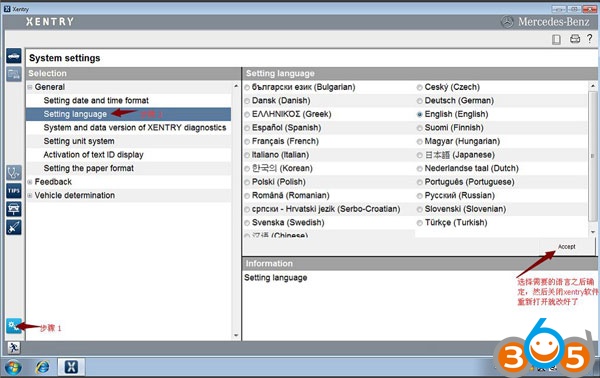
Q: How to change the Xentry language?
A: Go to Setup, select Setting language, then choose a language and click on Accept.
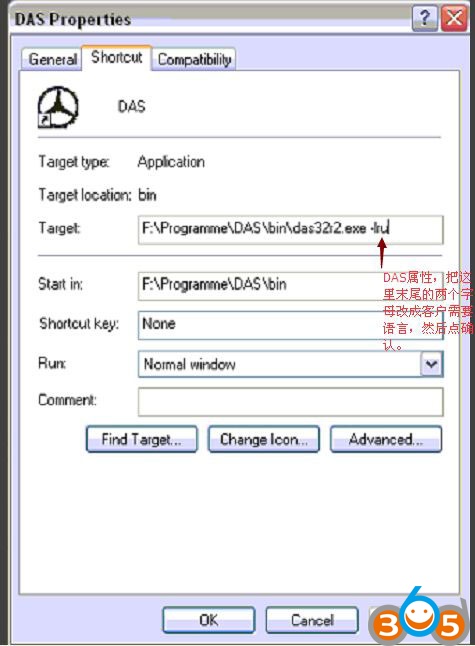
Q: How to setup the DAS language?
A: Go to DAS Properties. In the Target, change the last two letters (which is the first two letters of the language). Then click on OK.
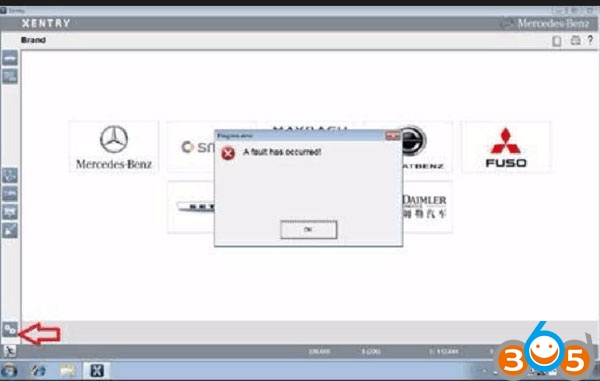
Q: Xenry language error: A fault has occurred.
A: Change the PC date and time to be the same as the Xentry version.E.g. Your Xentry is version 2017.12, you need set up 2015.09.05 on your PC.
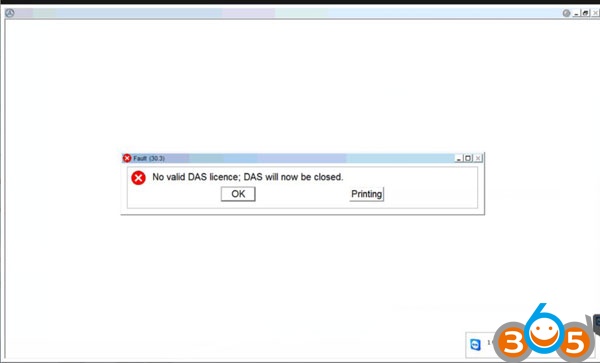
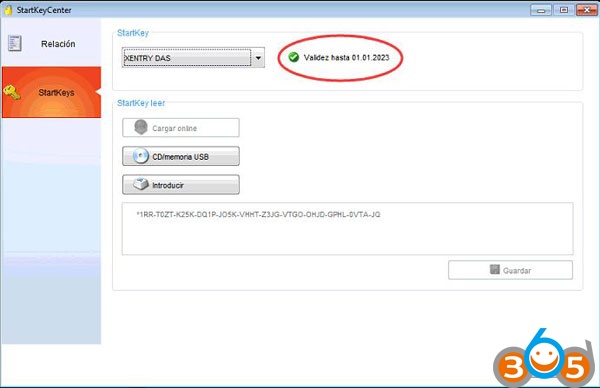
Q: Fault (30.3) pops up after DAS activation. No valid DAS license; DAS will now be closed.
A: Go to local disk C:/programme files/Mercedes-Benz/StartKeyCenter2; find our StartKeyCenter.exe.
If DAS doesn’t expire, just change the bin file in C:/programme files/Mercedes-Benz/DAS
If DAS expires, you need Lan-id to activate DAS
Q: Xentry caot run, the icon displays then disappears.
A: Change the PC date and time to be the same as the Xentry version;
If it does not work, replace the bin file in C:/programme files/Mercedes-Benz/DAS (the bin file differs from Xentry versions)
If all above fails, send the Mercedes software hard disk to the vendor to re-copy files.

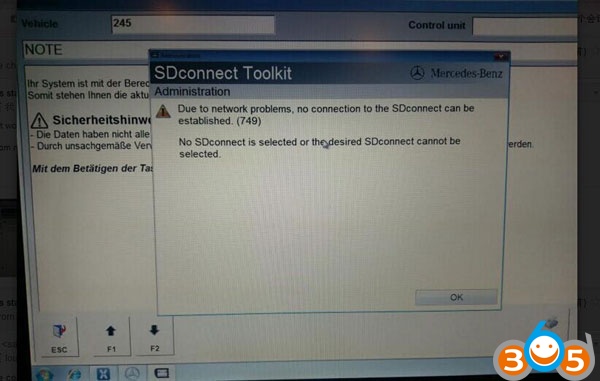
Q: SDcoect Tool kit appears Error 749 in Administration.Due to network problems, no coection to the SDcoect can be establish (749)No SDcoect is selected or the desired SDcoect caot be selected
A: It results from incorrect IP setup. Please go to the network coect to WLAN set up IP: 172.29.127.119
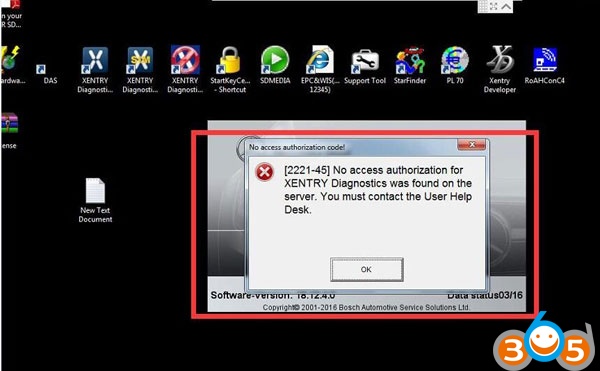
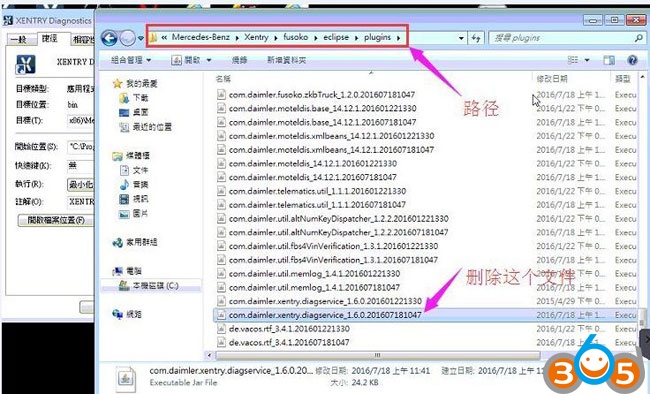
Q: Xentry error 2221-45: No access authorization code![2221-45] No access authorization for XENTRY diagnostics was found on the server. You must contact the user help desk.
A: Go to C:/programme files/Mercedes-Benz/Xentry/fusoko/eclipse/plugins; delete the file “com.damler.xentry.diagservice_1.6.0.201607181047”
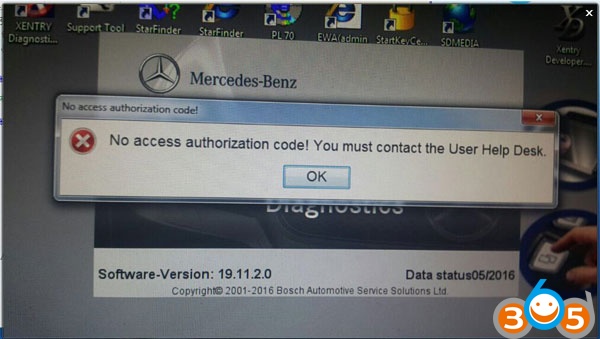
Q: Xentry caot open for use even reopen Xentry or restart the PC after activation.No access authorization code! You must contact the user help desk.
A: Go to C:/programme data/LicDir; delete lic-key2.dat
Open StartKeyCenter on Desktip; activate Xentry
Get a new lic-key2.dat after Xentry activation; copy and paste lic-key2.dat; then rename it as “lic-key2.x4711” (setup the file properties to Read Only)
Q: EWA-NET file caot start. HTTP Status 500-Servlet execution threw an exception.
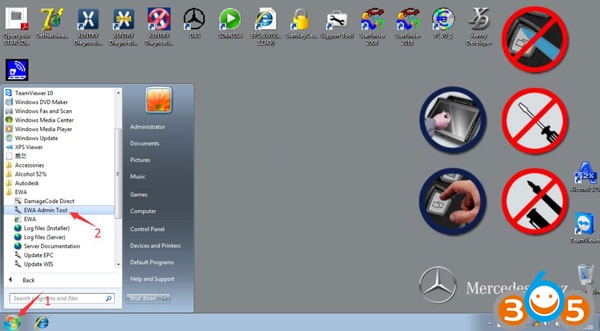
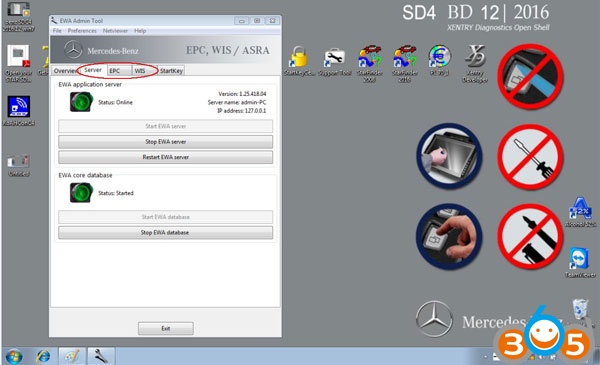
A: Go to the Start menu, then EWA-NET Admin ToolIn EWA Admin Tool, Server, EPC, WIS all should start (if they have started yet, pls. stop and restart)Server, EPC, WIS restart, reboot the PC, then open EWA-NET to login

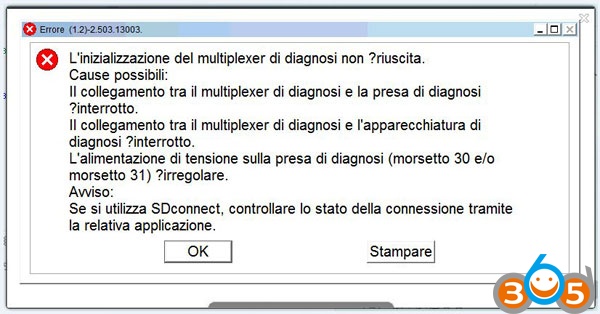
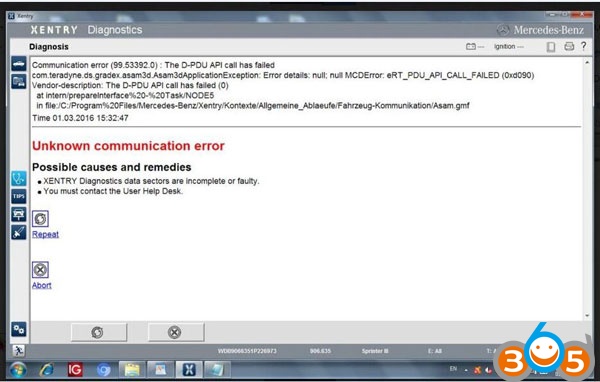
Q: Xenry Error (1.2)-2.503.13003:Initialization of diagnosis multiplexer failed
Possible causes:
The link between the diagnosis multiplexer an the diagnostic socket is interrupted
The link between the diagnosis multiplexer an the diagnostic unit is interrupted.
The voltage supply at the diagnostic socket (circuit30 and (or) circuit31)is fault.
Note:When using SD coect c4 multiplexer, check the coection status using the Toolkit.
A: check the coection of the cable and the car;
Then check the wired&wireless IP setup
Then check the Mercedes software; it’s software, not Star C3
If all ok, it may result from the SD coect c4 mux or the cable
BIG THANKS to engineers at .
برچسبها: MB SD C4, SDCoect C4, MB SD Coect C4
برچسب:
نویسنده: آراد حسینی